When using BRM's Customer Booking Portal (CBP)with Stripe for online payments, it’s important that your Stripe webhooks are set up and working correctly. This ensures that payments are correctly linked to reservations, and that reservations are not incorrectly cancelled.
How does it work?
Connecting Stripe to BRM:
You connect your BRM store to Stripe using your API keys.
Once connected, BRM automatically sets up the necessary webhook.What the webhook does:
This webhook allows BRM to:Process payments (payment intents and charges).
Keep reservations and payments in sync.
Auto-cancel unpaid reservations after the timeout period you set under Settings > Online/Offering Control.
What can go wrong?
If reservations are being auto cancelled even though payments were successfully made, this usually points to a problem with the Stripe webhook connection.
This means Stripe isn’t able to notify BRM that the payment was completed.
How to check your Stripe webhook connection
Log in to your Stripe dashboard.
Go to Developers > Webhooks.
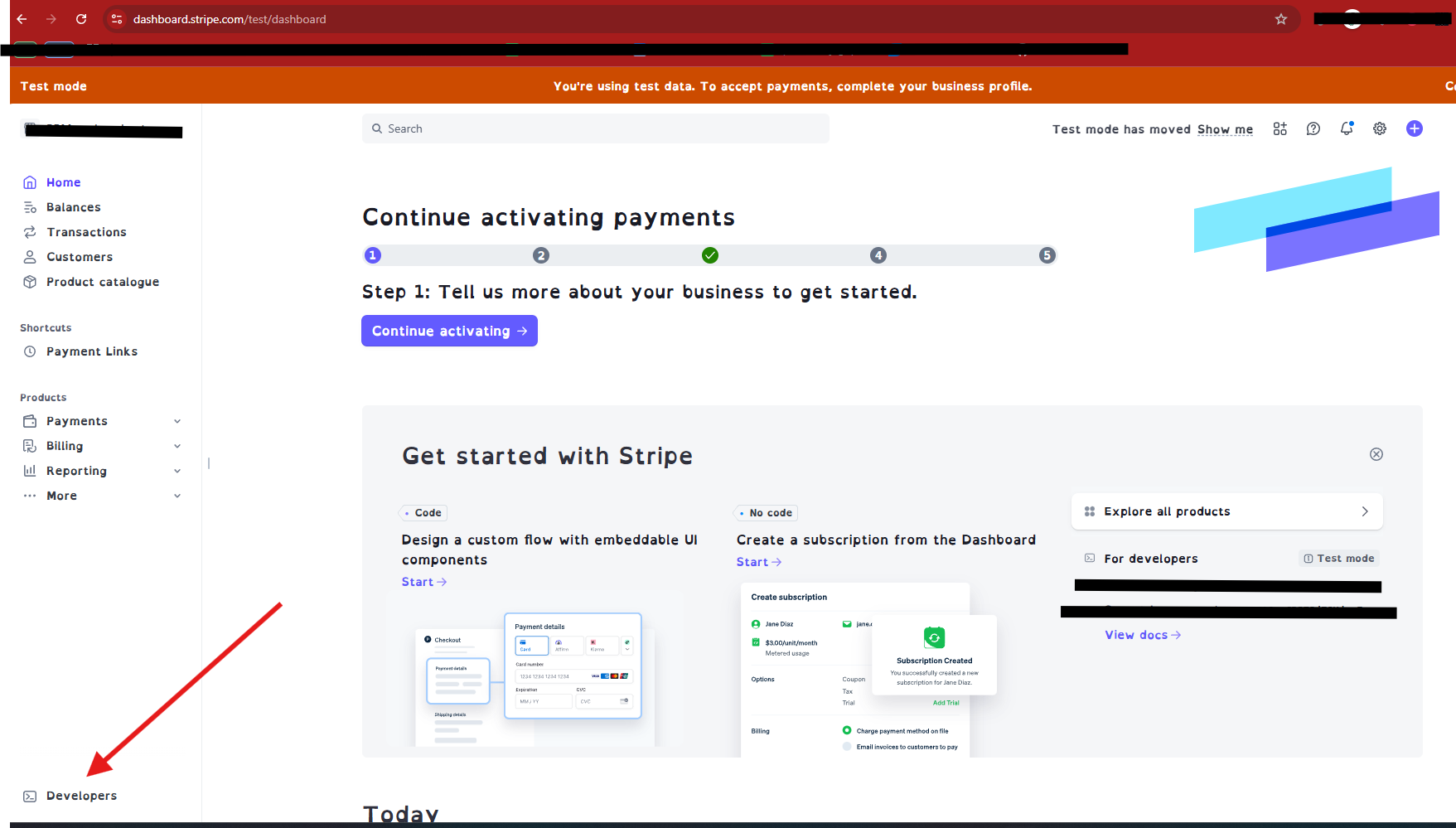

Review the list of webhook endpoints.
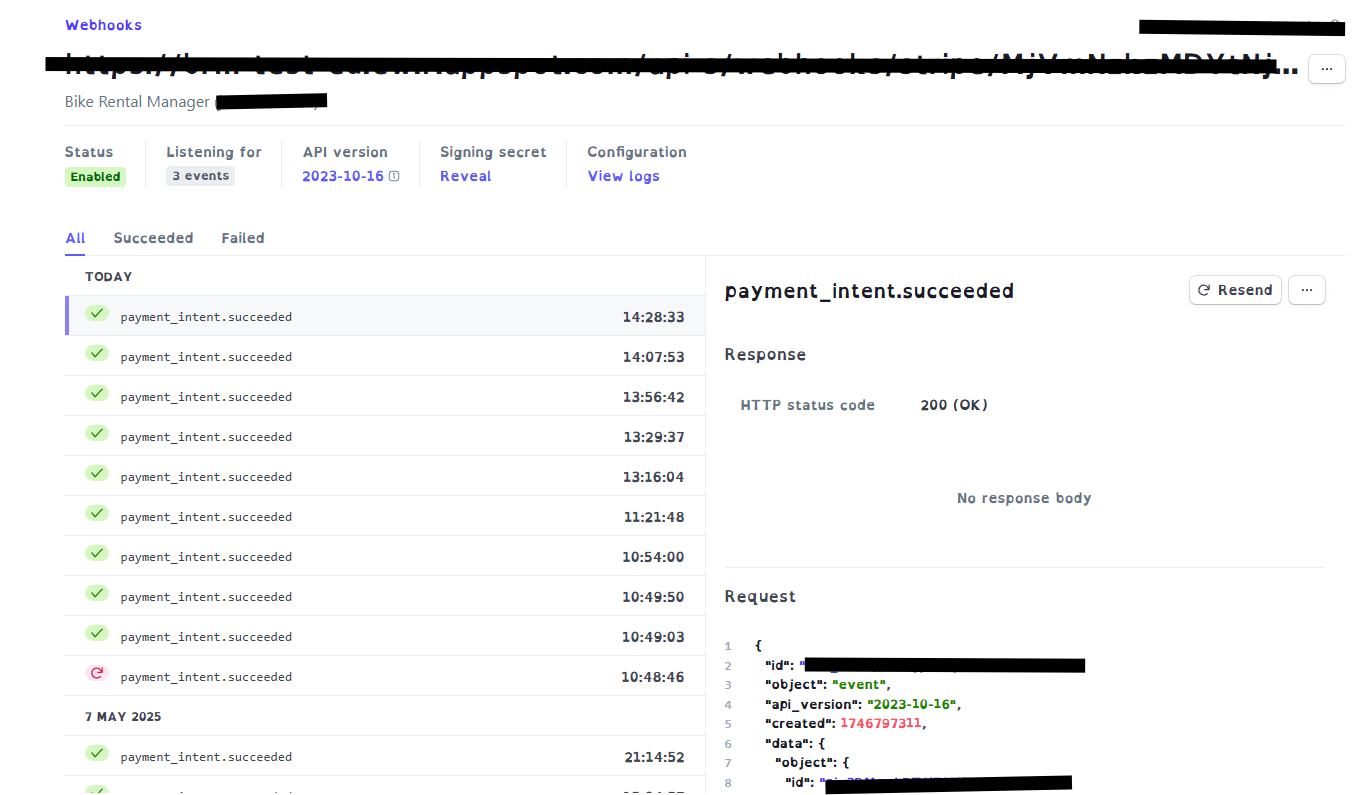
Check for any errors on the webhook endpoint.
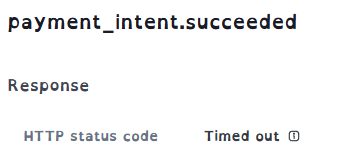
To confirm which store the webhook is connected to:
Click on the endpoint.
Look for the BRM namespace or store details inside the webhook URL or metadata.
What to do next?
If you see errors or suspect a problem:
Take screenshots of your webhook settings and any errors shown.
Take screenshots of any payments on stripe that have not updated bookings on BRM.
Include information such as:
Store name
Reservation number(s)
Payment ID(s) (if possible)
Contact BRM Support and send all the above details to help us resolve the issue as quickly as possible.
Was this article helpful?
That’s Great!
Thank you for your feedback
Sorry! We couldn't be helpful
Thank you for your feedback
Feedback sent
We appreciate your effort and will try to fix the article